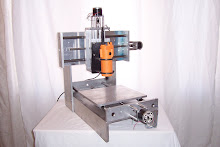
- Nema-34 motor mounts
- 3/4-6 acme lead screws with drive nuts
- All plastic construction CNC router
- All aluminum construction Mini Mill
- Turn-Key machine
- Complete my programming guide
Thanks,
Andy
Once you have your starter CNC router, software, electronics box, PC, and motors, I would spend about 4 - 8 hours just playing with your machine and software. Jog it around, manually cut something, click on all of the buttons int he software. Ask your boss if you can go out to the shop and do that with one of his machines. I am sure he'll say no and want that spindle cutting instead of sitting still (standard job shops).
Next up is programming. Go out to the web and download a copy of the standard G & M codes. HaasCNC.com has a nice free download of standard G & M codes. You must live them and love them, be one with the code. I tell people that you need to be like the people from the movie "The Matrix". When they look at the computer code they see "people, places, and things". That is how you need to be, instead of seeing G & M code, x..this y...that, you need to see the machine movement and know what your machine will be doing next. This is very helpful during initial progrma set-up and tryout. Once your program and set-up is proven you can just let your machine run.
Another programming tip is to make sure you get a cool CNC software like Mach3 that includes a CAM program like Lazy CAM. This program lets you upload DXF files to it which it then converts to G & M code automatically. Here is the really slick idea, go to eBay.com and do a search for DXF files. You can buy pre-made DXF files in bundles that have common themes like western, flowers, fishing, etc, etc. You take these files, upload one, covert to code, do a quick part zeroing and cut something. Here is how I have learned alot in CNC programming. Go back to that same program without removing your cut part and run in step block mode. This means that it will run one line of code at a time when you press the start button. This lets you see what each line does. I think this is very important because it lets you become very comfortable with the code, your software , and your machine.
This isn't going to be an overnight learning process. You still need to know about quick, fast, and accurate set-ups and most importantly Feeds & Speeds. A few quick tips: start slow with your feedrates, rough spindle speeds: wood 12,000 - 20,000 rpm, plastic 4,000 - 8,000 rpm, aluminum 2,000 - 7,000 rpm, steel 200 - 2,000 rpm. Those rpms vary depending on your cutter size and # of flutes. Remember when cutting, heat is our enemy, aluminum and plastic like to melt. Nothing melts them faster than too heavy of a cut at 10,000 rpm. If you have seen my aluminum cutting videos you will notice that when I cut aluminum, my rpms were very high due to the cheap spindle I was using but it cut because I was taking a light cut. In the MDF cutting video I take a very large cut of 7/16 deep and plow right through it like butter. That is because the wood likes the higher rpms.
This is all for now. I ahve to go to sleep.
Andy